Get a clear, real-time view of your future revenue — without spreadsheets.
We’ve introduced a dedicated Forecast tab inside Opportunities to help you track, predict, and improve your pipeline performance using expected close dates and probability-based forecasting.
This feature can be turned on from Account > Labs
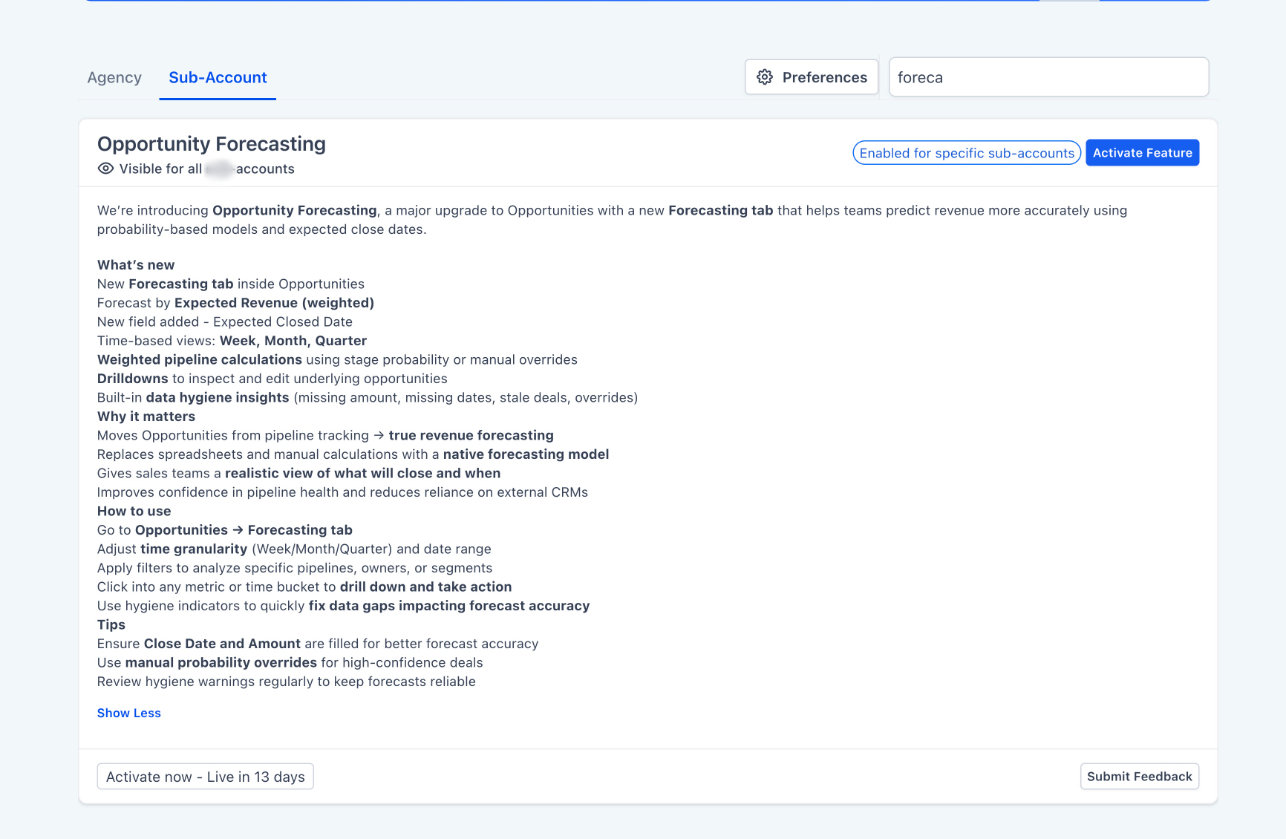
What’s New
- New Forecast tabinside Opportunities
- Forecast revenue using Expected Revenue (weighted by probability)
- New field: Expected Close Date
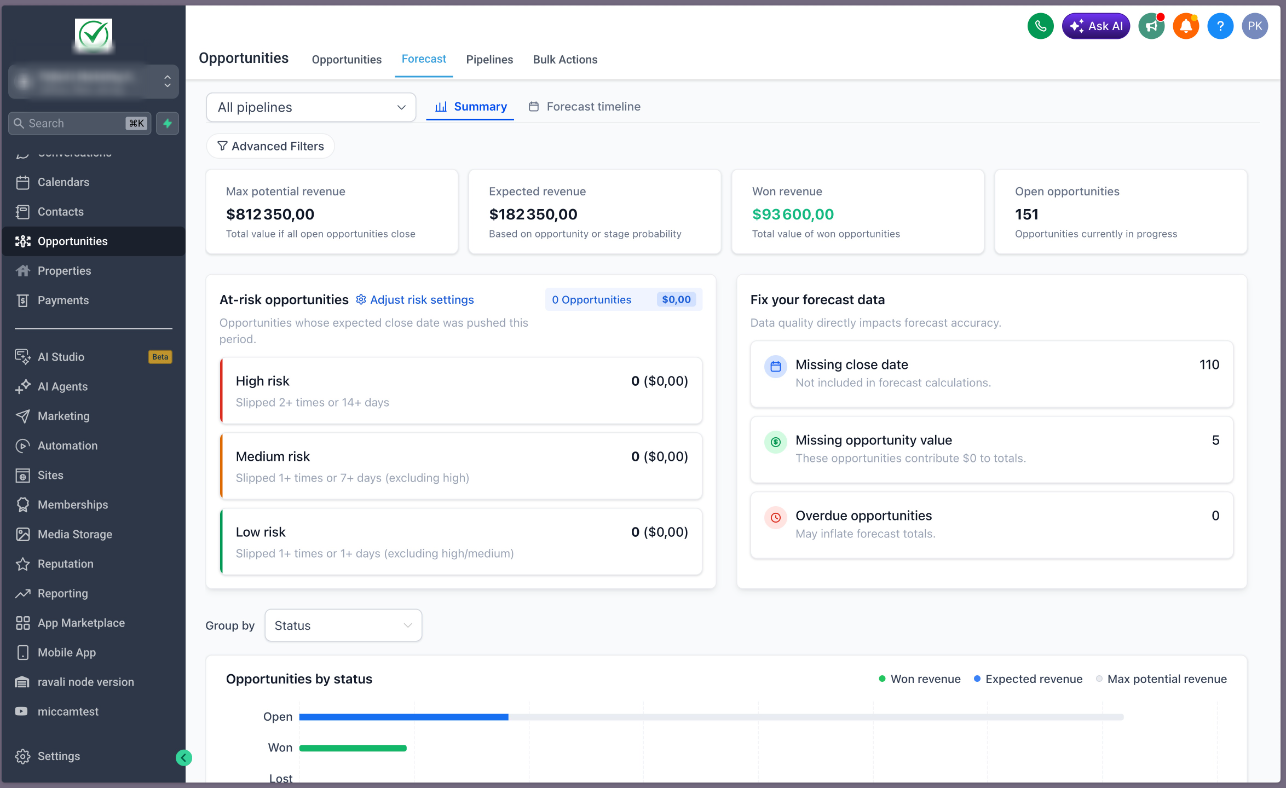
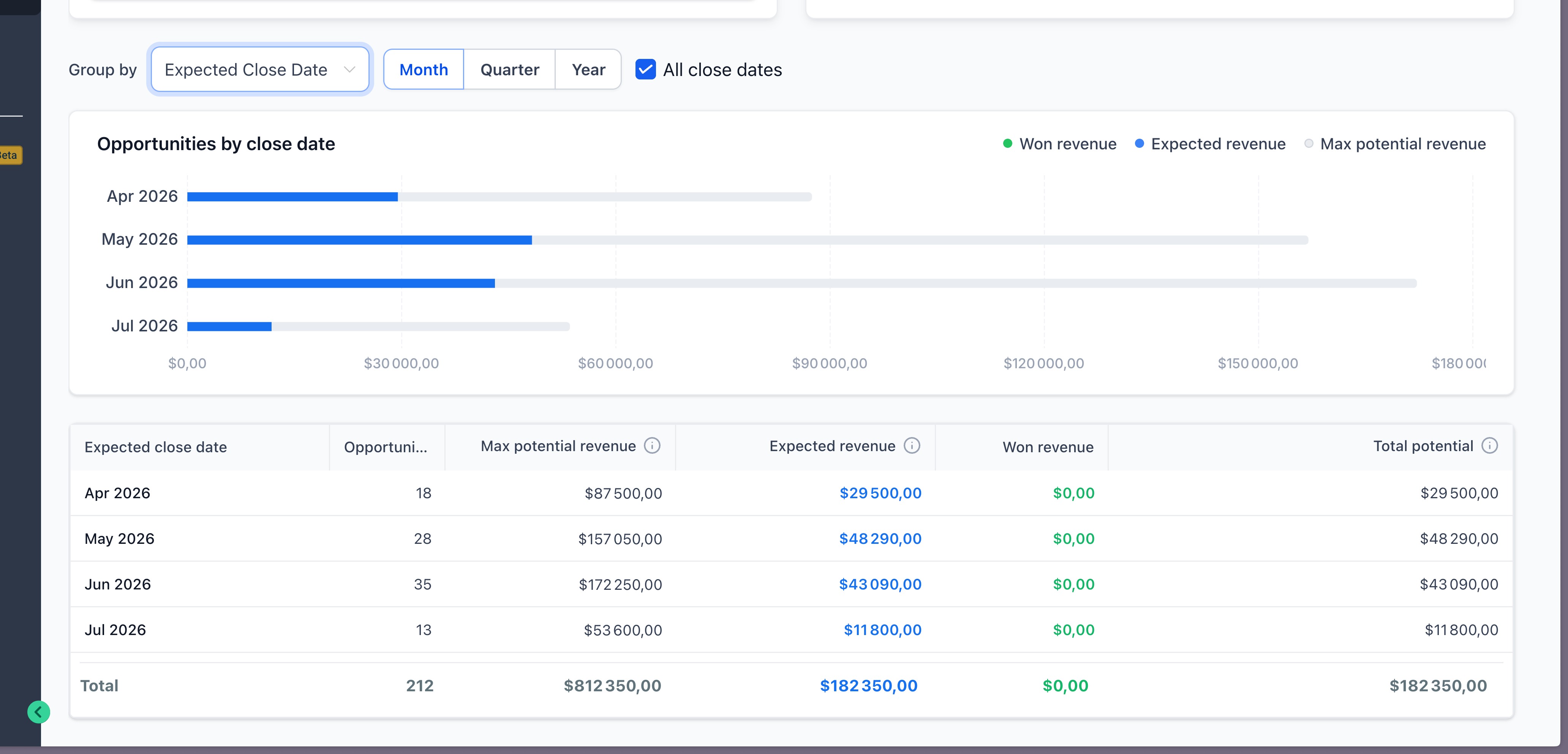
- Summary dashboardwith:
- Max potential revenue
- Expected revenue
- Won revenue
- Open opportunities
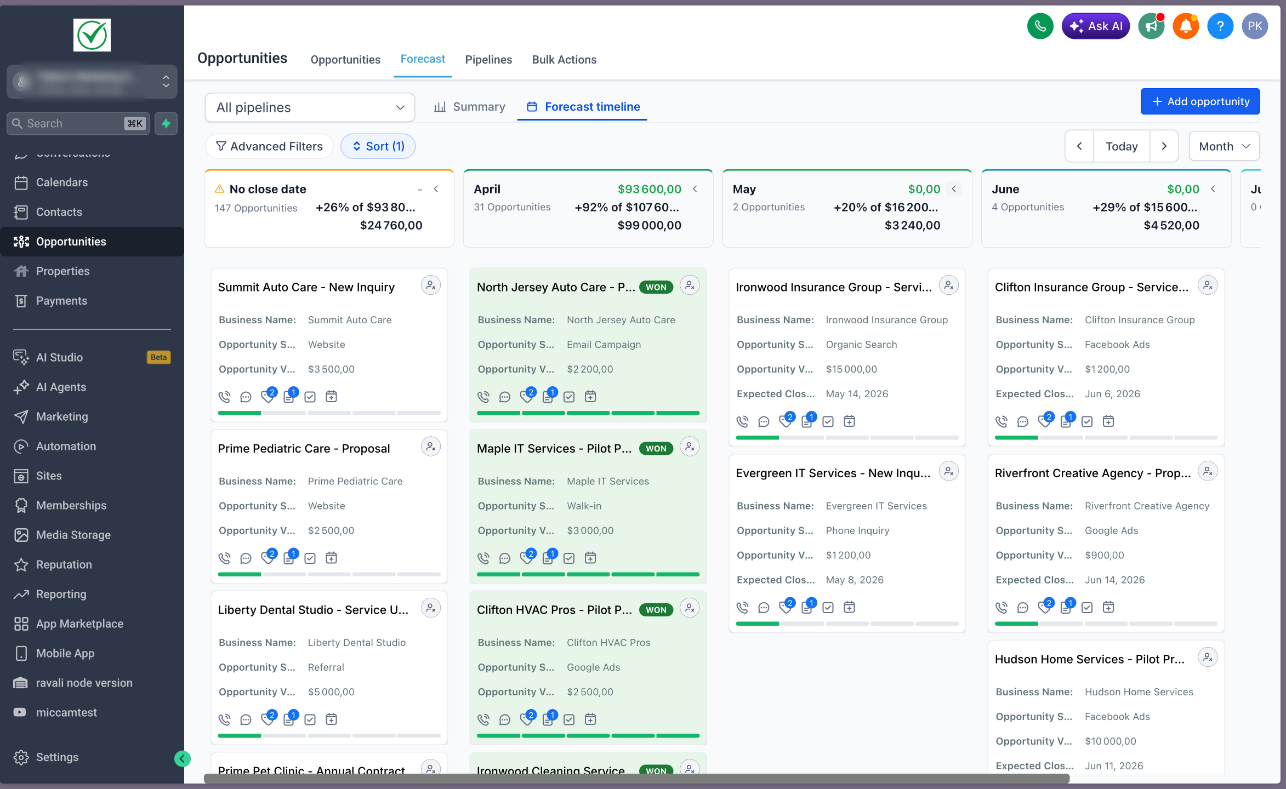
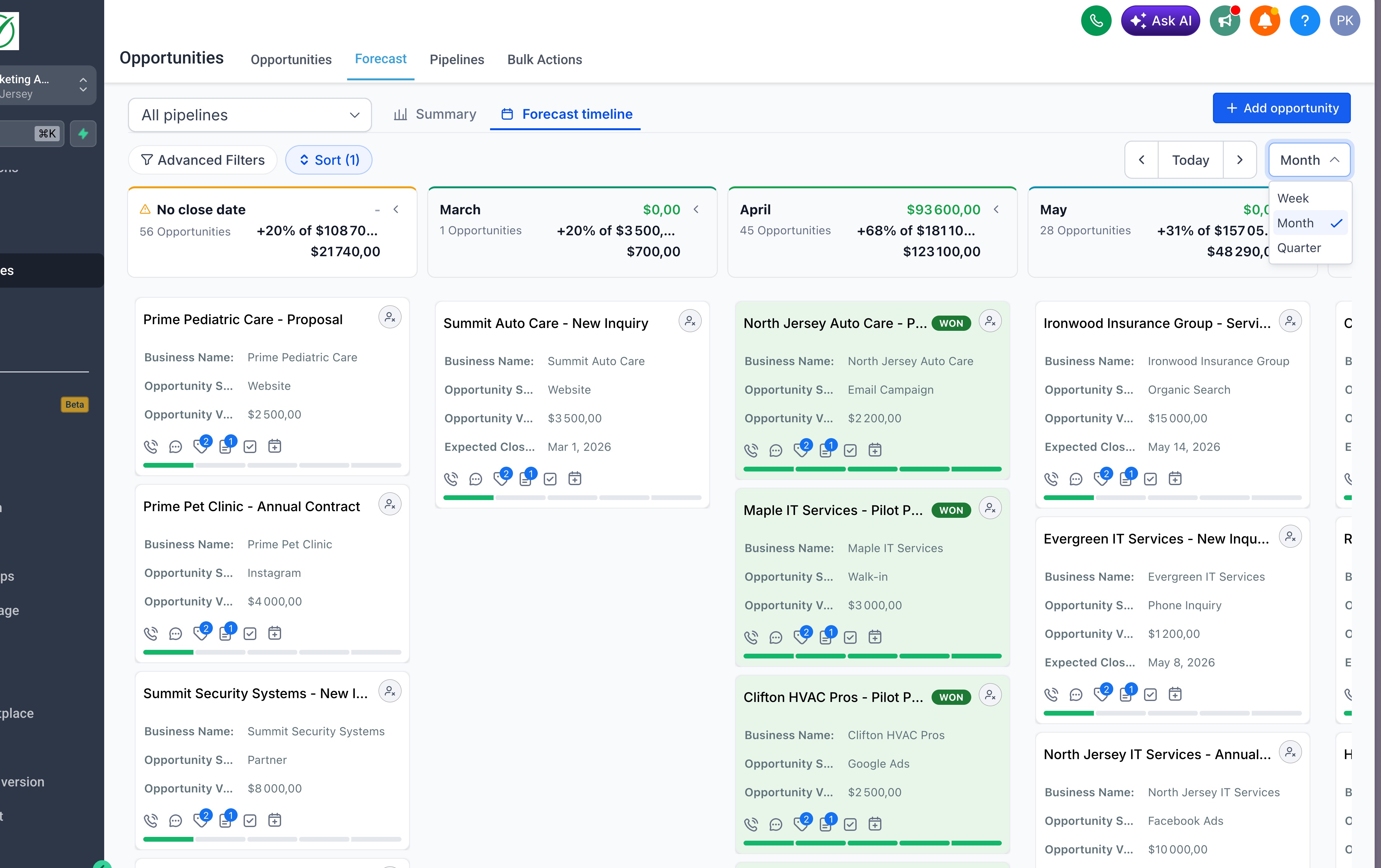
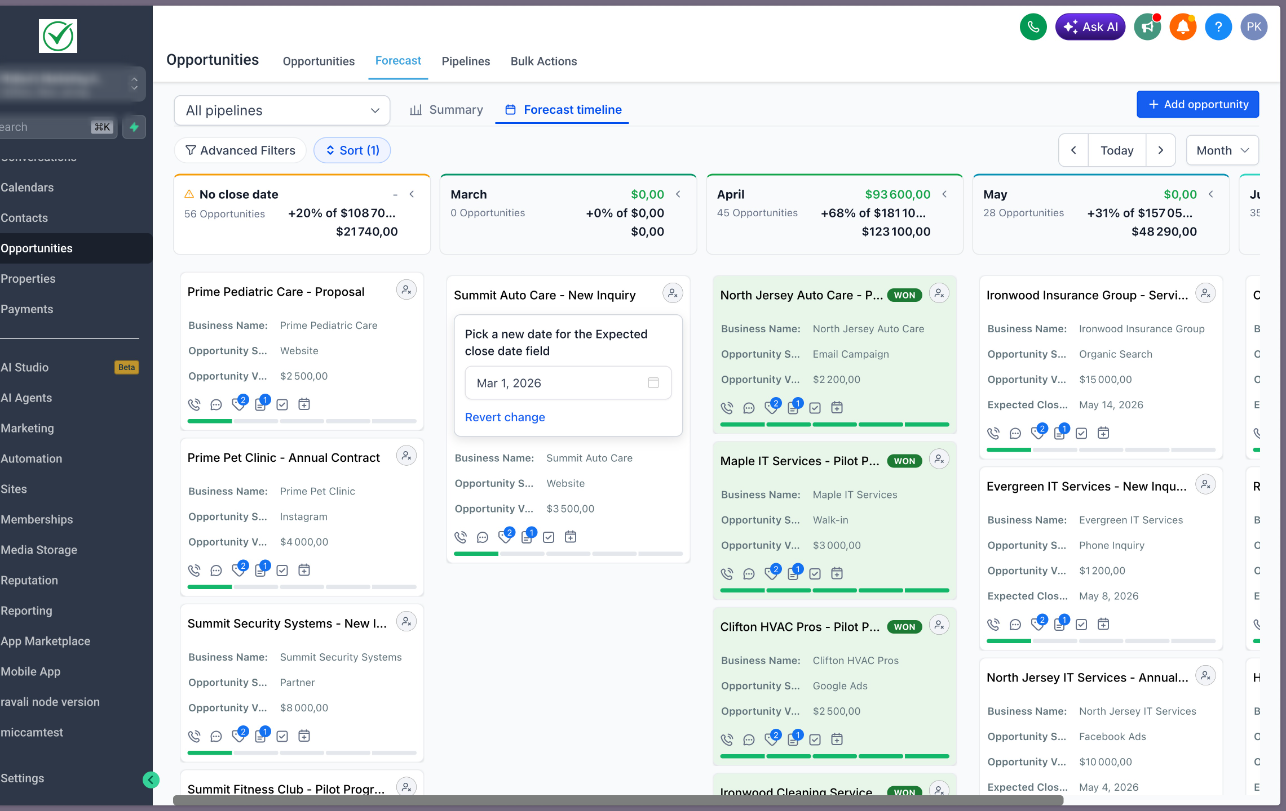
- Forecast timeline viewto track deals across time (Week / Month / Quarter)
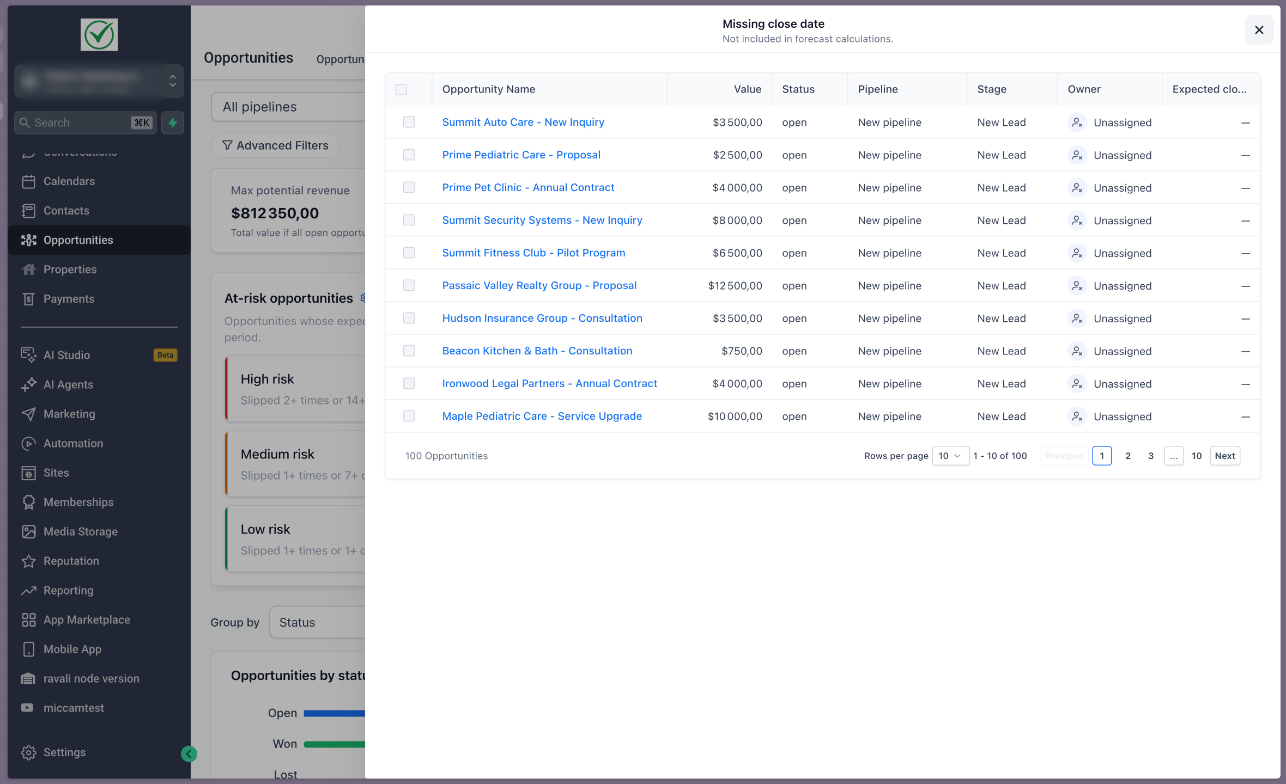
- Drilldownsto view and edit opportunities behind every number
- Data hygiene insights:
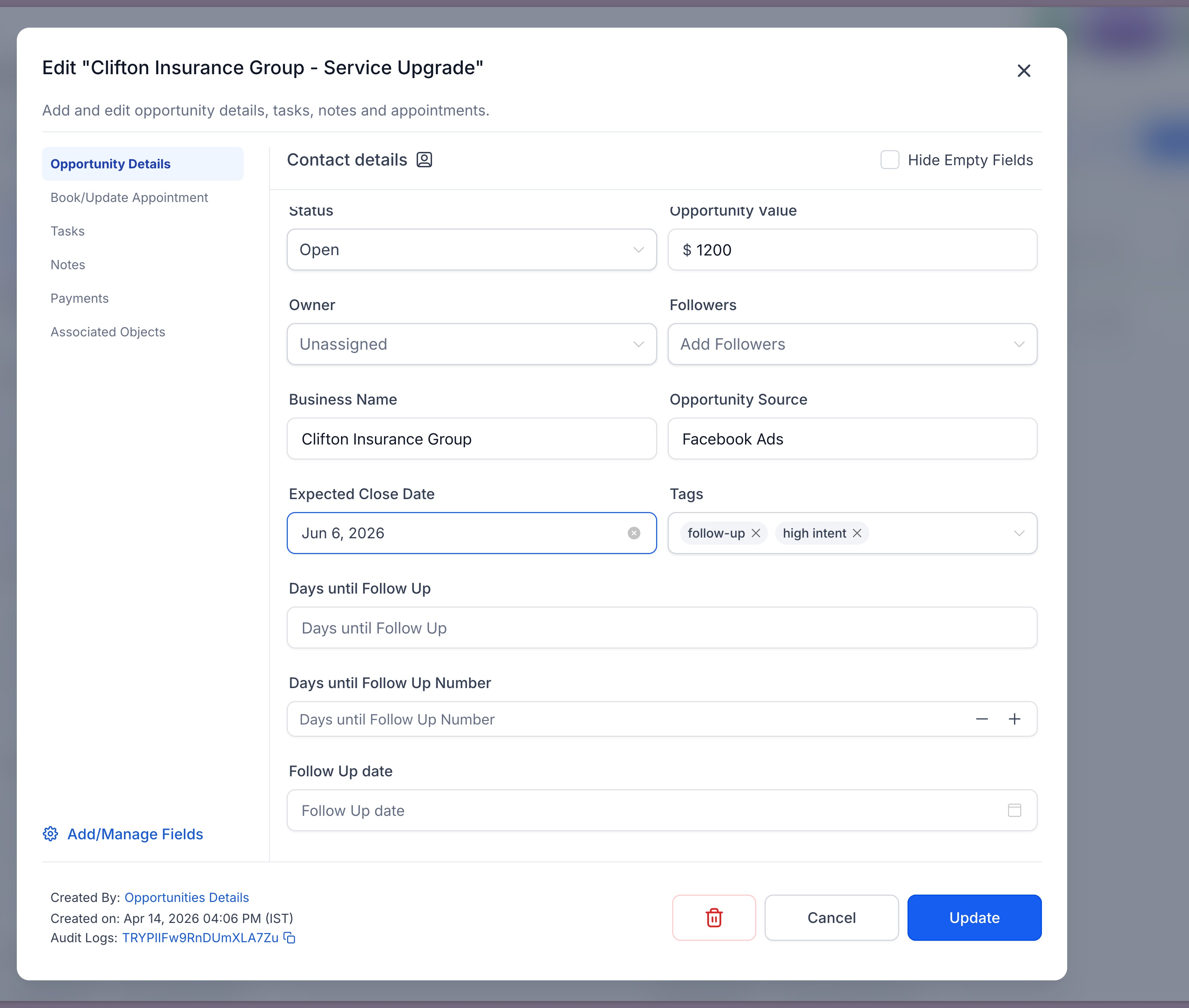
- Missing close dates
- Missing opportunity values
- Overdue deals
- Risk classification system: High, Medium, Low risk based on slippage
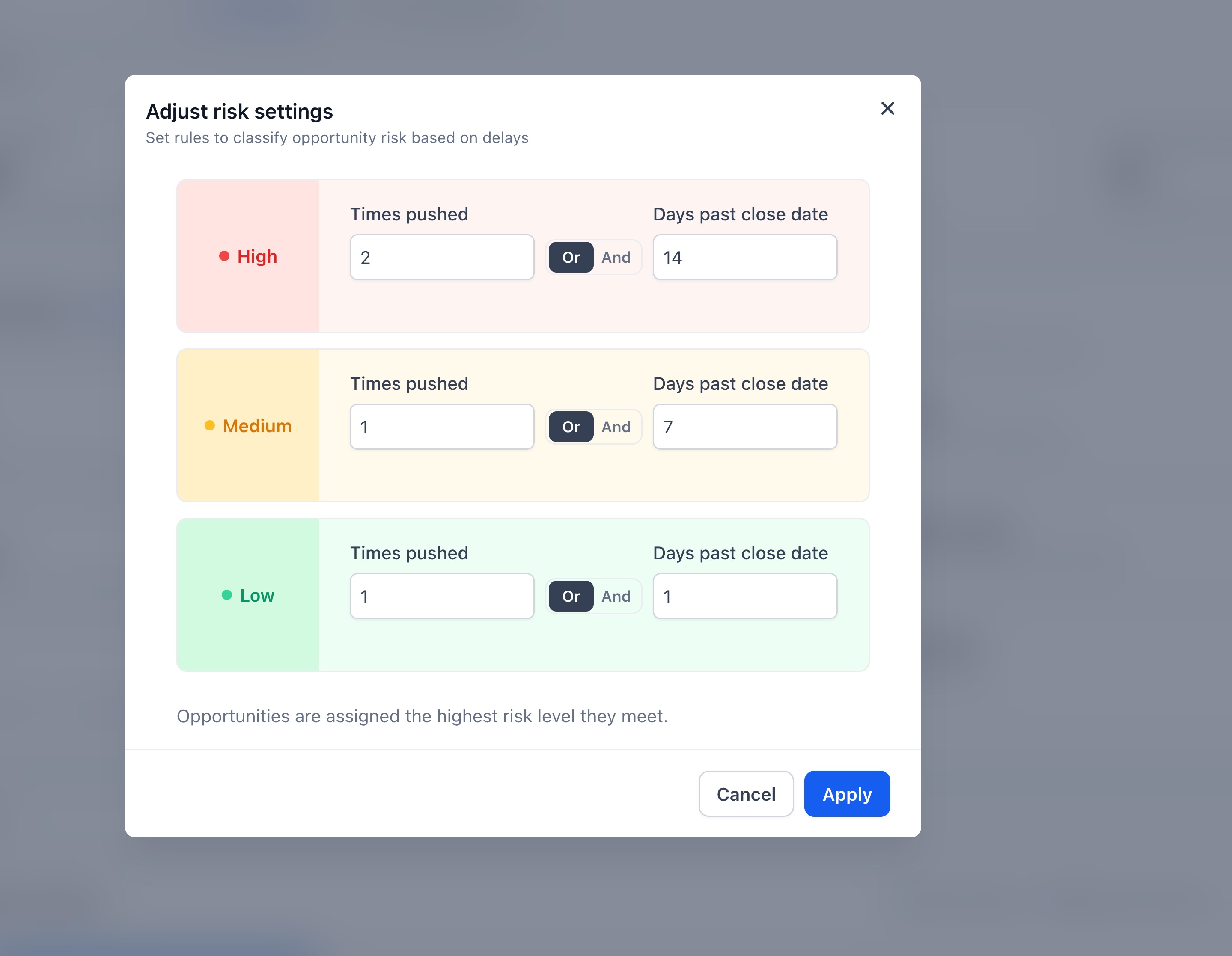
- Custom risk settingsto define thresholds
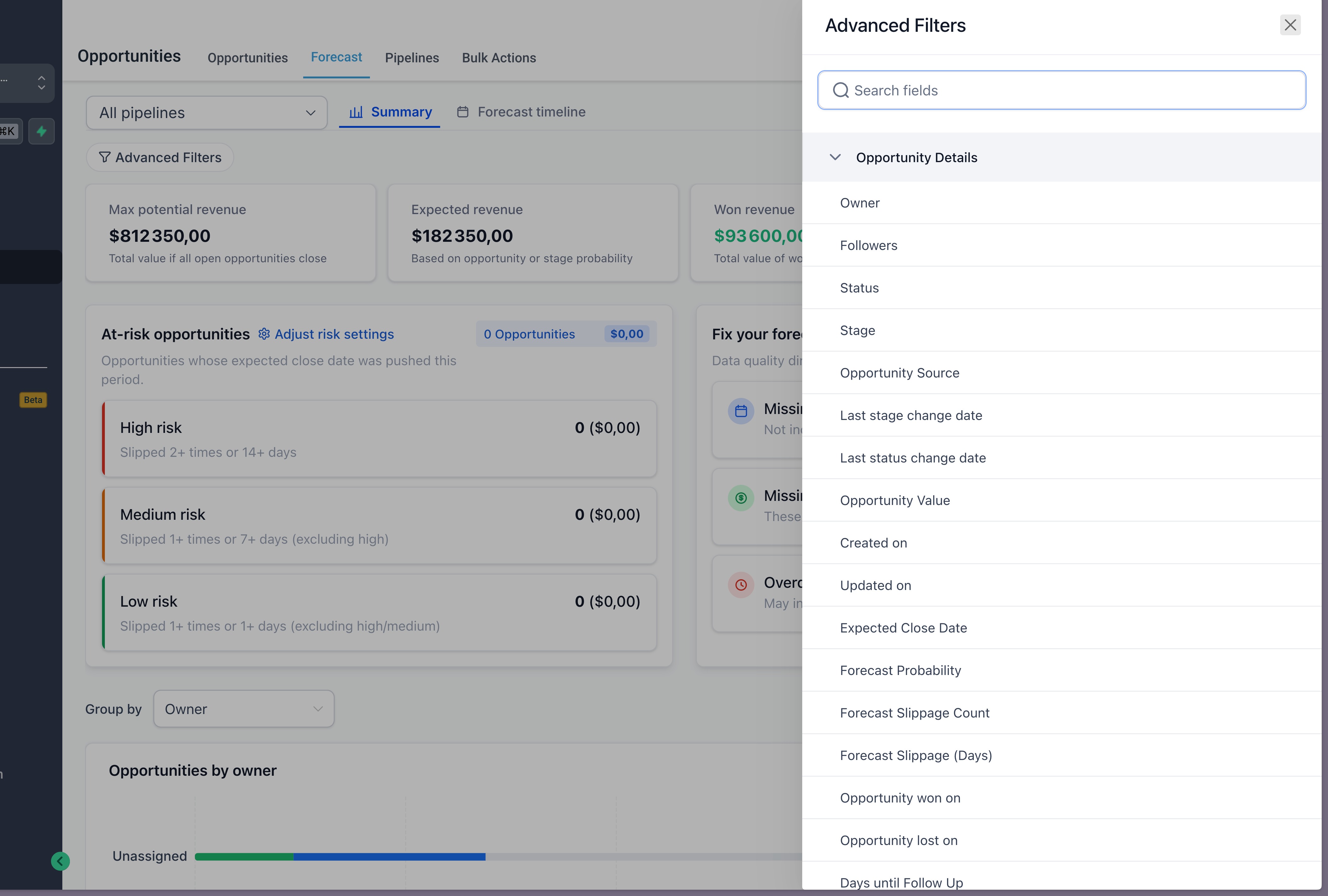
- Advanced filters & grouping(Owner, Status, Close Date, etc.)
How It Works
- Go to Opportunities → Forecast
- Use Summaryto understand overall pipeline health
- Switch to Forecast Timelineto track deals over time
- Adjust time view(Week / Month / Quarter)
- Apply filtersto segment your data
- Click on any metric (like “Missing close date”) to drill down
- Drag and drop opportunities to the right month to update closed date
- Customize risk settingsto match your sales cycle
Why It Matters
- Move from basic pipeline tracking → real revenue forecasting
- Get a more accurate view of what will close and when
- Identify at-risk deals early
- Improve data quality and forecasting accuracy
- Reduce reliance on manual reporting and spreadsheets
Pro Tips
- Always fill Opportunity ValueandExpected Close Date
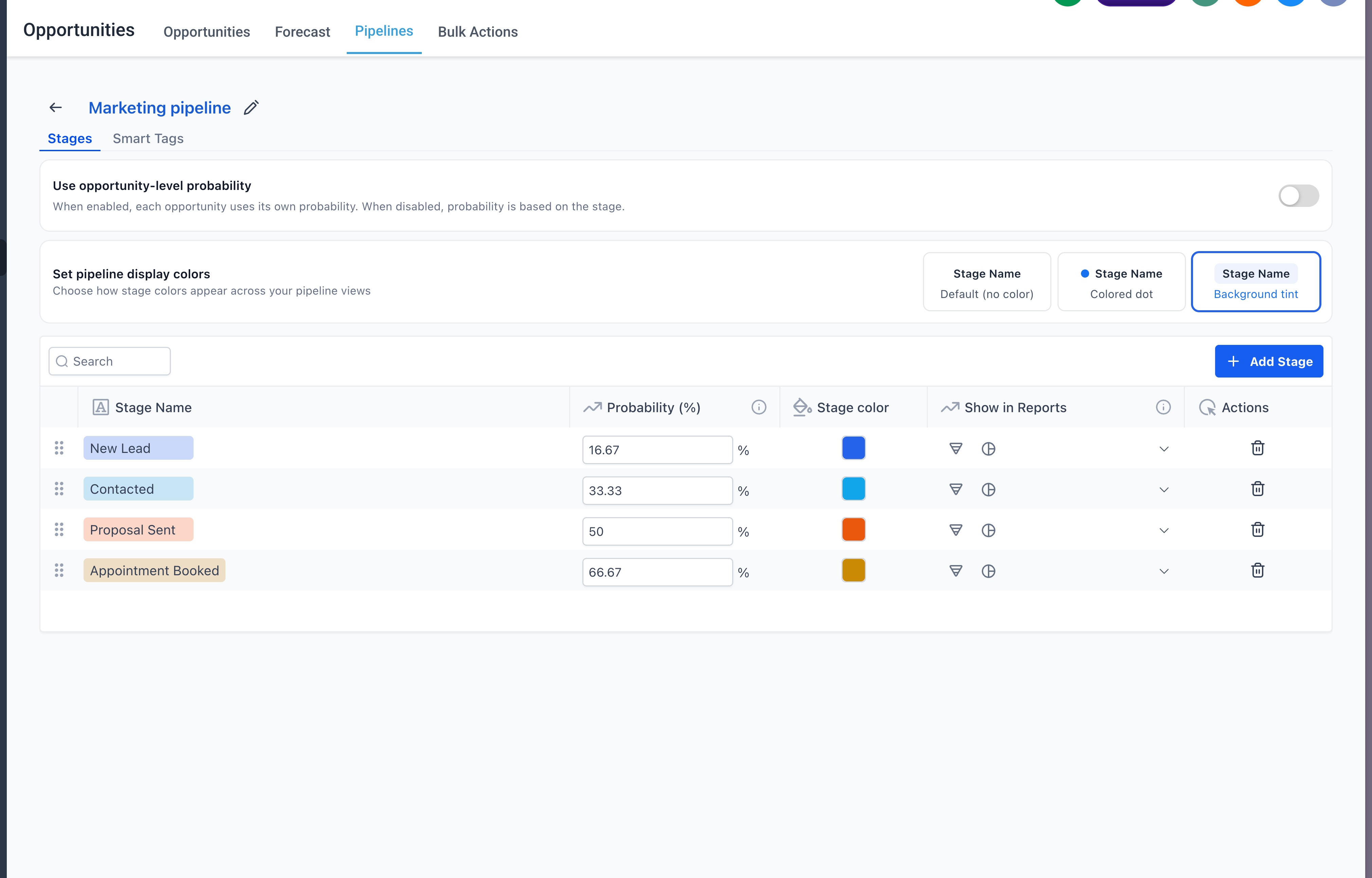
- Use probability overridesfor better accuracy
- Review data hygiene cards regularly
- Tune risk thresholdsbased on your deal cycle
Notes
- Opportunities are assigned the highest risk level they meet
- Deals without close dates are excluded from forecast calculations
- Forecast accuracy depends heavily on clean and complete data
What’s Next
- Deeper reporting integrations
- Goal setting for agents
- Enhanced sharing and permissions for forecast views
Was this article helpful?
That’s Great!
Thank you for your feedback
Sorry! We couldn't be helpful
Thank you for your feedback
Feedback sent
We appreciate your effort and will try to fix the article